Automatic Reply Examples That Capture Leads in Carlsbad
Last updated September 10, 2026
An automatic reply is an automated email response sent when someone messages a business, confirming receipt and managing expectations while you're away or busy. A strong auto reply states who you are, when you return, who to contact, and gives one clear next step like a booking link or phone number.
Table of contents
- Key takeaways
- What an Automatic Reply Actually Does for Your Business
- Copy and Paste Templates for Every Business Situation
- Automatic Replies That Convert Leads Instead of Losing Them
- Routing Different Contacts to Different Paths
- Connecting Auto Replies to CRM and SMS Follow Up
- Setting Expectations the Right Way
- Setting Up Auto Replies in Gmail, Outlook, and Launch CRM
- When the System Works and You Step Back
- Frequently asked questions
Key takeaways
- Every automatic reply must include your return date, a backup contact, and one clear next action for the sender. Vague timelines and dead ends lose sales to competitors who respond faster.
- Small business owners lose revenue when auto replies act as dead ends instead of routing leads to booking links or answered phone lines. A message that just informs wastes the inquiry.
- A CRM like Launch CRM can make an auto reply trigger follow up texts, log the contact, and start a nurture sequence automatically. The reply is just the first touchpoint in a system that keeps working.
- Different contacts deserve different replies: new leads get booking links, existing customers get support paths, vendors get return dates. One generic message fails everyone.
- After hours auto replies paired with AI voice agents let service businesses capture appointments even when the owner is off the clock. The system answers and books while you sleep.
What an Automatic Reply Actually Does for Your Business
An automatic reply is more than a digital away sign. It sets expectations, keeps communication professional, and prevents contacts from feeling ignored. For a small service business in Carlsbad, a missed email or unanswered inquiry is lost revenue. The sender may be choosing between you and a competitor, and silence loses the job.
A good auto reply includes three essentials: a statement that you're out, a specific return date, and a contact person for urgent matters. That structure works whether you run a medical practice, an HVAC company, or a local contracting business.
The difference between a standard out of office message and a business grade automatic reply is the next action. A dead end loses the lead. A booking link, a phone number answered by a real person or an AI receptionist, or a follow up text keeps the conversation moving.
Launch CRM combines email, SMS, booking, and workflow automation in one place, so an auto reply can acknowledge a lead, text them a booking link, and log the contact without you touching a single button. That connectivity turns a one time message into the start of a real sales conversation.
Copy and Paste Templates for Every Business Situation
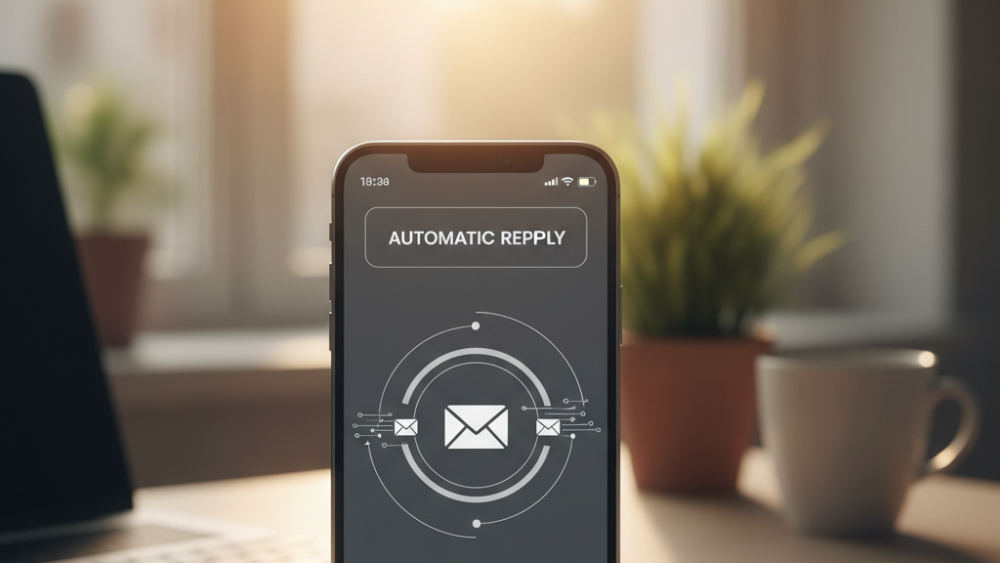
Vacation reply for existing customers: Thank you for reaching out. I'm out of the office from March 10 through March 18 and will reply when I return. For urgent support, contact Sarah at [email protected] or call 760-555-0123.
Holiday closure reply: Our office is closed for Thanksgiving from November 23 through November 25. We reopen Monday, November 27 at 8am. If you need immediate assistance, text us at 760-555-0123 and our AI receptionist will help you book an appointment.
New lead acknowledgment reply: Thanks for your inquiry. I received your message and will get back to you within 24 hours. In the meantime, you can book a free consultation at yourcompany.com/book or call 760-555-0123 to speak with someone right away.
High volume inbox reply: Thank you for contacting us. We receive a high volume of inquiries and reply within one business day. If your need is urgent, please call 760-555-0123 or book directly at yourcompany.com/schedule.
After hours and weekend reply: You reached us outside business hours. Our office is open Monday through Friday, 8am to 6pm Pacific. To book an appointment now, visit yourcompany.com/book, or call 760-555-0123 and our AI voice agent will assist you immediately.
Sick day reply for service businesses: I'm out sick today and will return tomorrow. For emergency service, contact our dispatch line at 760-555-0123. For scheduling, visit yourcompany.com/book and choose the next available technician.
Automatic Replies That Convert Leads Instead of Losing Them
A generic out of office hurts a small business more than a corporation. The corporate employee covering a conference is an internal matter. The HVAC tech who sends a vague reply to a homeowner with a broken AC just sent that homeowner to the next search result. A well crafted out of office message manages expectations and prevents missed opportunities, while poor communication can leave potential customers feeling neglected.
Watch out: A generic out of office hurts a small business more than a competitor. The sender may be a buyer choosing between you and a competitor, and silence loses the job.
The automatic reply for a new sales inquiry must acknowledge, reassure, and route. Acknowledge receipt, reassure the sender they'll hear back, and route them to the fastest path forward (whether that's a booking link, a calendar, or a phone number someone actually answers).
Most business owners think they have a traffic problem when they actually have a leak problem. They spend money on ads to generate leads, then lose half of them because nobody replied after hours or the auto reply was a dead end.
Launch AI Workforce is installed and trained for you, so an after hours auto reply can hand off to an AI voice agent that answers the phone and books appointments while you're with your family. You don't configure anything. We install it, train it on your business, and hand you the keys.
Speed wins: The business that responds first usually wins the job, even when it's not the best business in town. An auto reply that includes a booking link or a phone number answered immediately beats the competitor who waits until Monday morning.
The measurable difference is speed. Small local service businesses lose more revenue to unanswered phones than to bad marketing. The lead called, nobody picked up, and they called the next name on the list before the voicemail even finished.
Routing Different Contacts to Different Paths
Not every contact deserves the same automatic reply. A vendor asking for an invoice approval can wait until you return. A new lead asking for a quote should be routed to a booking link or a live answer immediately.
Segment your auto replies by contact type when your platform allows it. Existing customers get a support path and a return date. New leads get a booking link and a phone number. Vendors get a simple return date and no urgency.
Launch CRM lets you build workflow automation that sends different replies based on tags, pipeline stage, or how the contact came in. A lead from a Facebook ad gets a different message than a returning customer emailing about a past order.
Practical rule: If the sender might buy from a competitor in the next six hours, your auto reply must give them a way forward right now.
The practical rule is this: if the sender might buy from a competitor in the next six hours, your auto reply must give them a way forward right now. If the sender is an existing relationship, a polite acknowledgment and return date is enough.
Most email platforms like Gmail and Outlook send the same reply to everyone. That works for a vacation. It fails for a business inbox handling new leads, existing customers, and vendors all in the same thread.
Connecting Auto Replies to CRM and SMS Follow Up
An automatic reply is just the first touchpoint. The follow up is where the money is, and it's the first thing that gets abandoned when you rely on memory instead of systems.
Launch CRM can make an auto reply trigger a sequence. The reply acknowledges the lead, a text goes out five minutes later with a booking link, another text follows up the next day if they didn't book, and the contact is logged in your pipeline so nothing falls through the cracks.
No competitor covers this because most business owners are stuck using ten separate tools. They have an email platform that doesn't talk to their text tool, a scheduler that doesn't talk to their CRM, and a manual process holding it all together with duct tape.
SMS marketing continues the conversation an automatic reply starts. An email reply says you received the message. A text five minutes later with a calendar link or a quick question keeps the person engaged and moves them toward a decision.
Workflow automation is the mechanism that turns a one time auto reply into a sequence. One reply, one text, one reminder, all triggered automatically based on whether the person opened, clicked, or booked.
If you want to build these sequences yourself, learning to automate the full follow up process inside the platform is a practical next step. The training walks through email, SMS, booking, and follow up as one connected system.
Setting Expectations the Right Way
Vague return dates hurt more than they help. Instead of saying you'll be out for a while, say you return March 18. Specific dates let the sender decide whether to wait or take the alternate path you offered.
Best practices include essential information, setting reasonable expectations, notifying your backup contact before your reply names them, proofreading carefully, and considering online safety by not oversharing personal details.
What you shouldn't say in an out of office message: vague timelines, overly personal reasons for your absence, jokes that don't land in writing, multiple backup contacts that confuse the sender, or promises you won't keep.
Keep it short. A reply longer than four sentences hurts more than it helps. The sender wants to know if you received the message, when you return, and what to do next. Everything else is noise.
Proofread before you turn it on. A typo in an auto reply goes out to every person who emails you while you're gone. Run it through one other person or read it out loud before you activate it.
Setting Up Auto Replies in Gmail, Outlook, and Launch CRM
Gmail vacation responder is under Settings, then See all settings, then the tab labeled Vacation responder. Write your message, set your start and end dates, and save. It sends the same reply to everyone once per conversation.
Outlook automatic replies are under File, then Automatic Replies, then Send automatic replies. You can write one message for internal senders and another for external senders, and you can set a date range or leave it running until you turn it off manually. Both Gmail and Outlook support native out of office messages.
Both Gmail and Outlook work fine for a simple vacation message. They fail when you need to send a different reply to new leads than you send to existing customers, or when you want the reply to trigger a follow up text or log the contact in a customer relationship management system.
The platform built for American businesses handles automatic replies as part of the unified inbox. You can write reply templates, segment them by contact type or tag, and connect each reply to a workflow that sends follow up, books appointments, or routes the contact to the right pipeline stage.
The setup takes less than an hour once. The return lasts for years because the system keeps working every time you step away.
When the System Works and You Step Back

Faith, family, and freedom aren't just values at Launch Commerce. They're the reason we built the platform. Business owners in Carlsbad and across America deserve time away without revenue leaking, because the system keeps working when you step back.
The businesses that grow fastest aren't the ones with the best product. They're the ones who implement. We've watched two businesses get the identical plan and identical tools, and the difference in results twelve months later comes down entirely to who actually turned things on.
An automatic reply paired with booking automation and an AI voice agent means you can take Sunday off, spend the evening with your kids, or go to church without worrying that a lead is calling the next name on the list.
The order matters. Plug the leaks first. Reactivate the database, catch the leads you're already paying for, fix the offer and the follow up, and only then pour on more traffic.
Launch Commerce is an AI powered platform built for American entrepreneurs. If you're ready to stop losing leads to unanswered emails and after hours calls, the tools are ready and the team is here.
Frequently asked questions
What are good automatic reply examples for customer emails?
A good customer reply includes a thank you, your return date, and a backup contact or support path. Example: Thank you for reaching out. I'm out of the office until March 18 and will reply when I return. For urgent support, contact Sarah at [email protected] or call 760-555-0123.
How can automatic replies convert more leads?
Include a booking link, a phone number answered immediately, or a next step in every reply to new leads. Pair the auto reply with SMS follow up and workflow automation so the conversation continues even when you're not checking email. Speed decides the sale more than skill does.
How do automatic replies connect to a CRM and SMS marketing?
A platform like Launch CRM triggers follow up texts, logs the contact, and starts a nurture sequence automatically when the auto reply is sent. The reply acknowledges receipt, the text sends a booking link, and the workflow continues based on whether the person opened, clicked, or booked.
What is a good automatic reply message for business email?
State you're away, give your return date, name a backup contact, and provide one clear next step. For new leads, include a booking link or phone number. For existing customers, a support contact and return date are enough.
How do I set up an automatic reply in Gmail?
Go to Settings, then See all settings, then the Vacation responder tab. Write your message, set your dates, and save. Gmail sends the same reply to everyone once per conversation, so it works for simple out of office messages but not for segmented replies.
What should you not say in an out of office message?
Avoid vague return dates, overly personal reasons, multiple backup contacts that confuse the sender, and promises you won't keep. Don't overshare personal details that could be a security risk or jokes that don't land in writing.
What is the difference between an automatic reply and an out of office message?
An out of office message is a type of automatic reply used during vacation, sick leave, or extended absence. A business grade automatic reply can also acknowledge new leads, route customer inquiries, and trigger follow up sequences, not just inform senders you're away.